
What is on-page SEO and why does it matter?
On-page SEO is optimizing everything on the page itself — titles, headings, content, images, internal links, schema — to help Google understand the topic and help readers get value. It matters because it's fully in your control: unlike backlinks, every item on this checklist is something you can fix today, and pages with strong on-page fundamentals consistently outrank better-linked but sloppy competitors.
Google's job is matching queries to the best pages. On-page SEO is you making that match unmistakable: clear topical signals (title, headings, content depth), quality signals (originality, accuracy, experience), and usability signals (speed, mobile, readability). No single element ranks a page — the *combination* tells Google 'this page thoroughly answers this query'.
The honest scope: on-page SEO won't save thin content or earn links for you, and it can't fix technical disasters (see technical SEO basics). But among pages with comparable content and authority, on-page quality is the tiebreaker — and it's the highest-ROI SEO work because every fix is permanent and compounding.
How to use this checklist: run it on your most important pages first (the ones that earn or could earn), not the whole site at once. Fix everything on ten money pages before touching page eleven. Depth on important pages beats shallow passes across hundreds.
How do you optimize titles and meta descriptions?
Put the primary keyword near the start of a compelling under-60-character title, write a unique under-160-character meta description as ad copy for the click, use one H1 matching the page's topic, and structure H2/H3s as a logical outline. Titles earn rankings; descriptions earn clicks — optimize both, never stuff keywords.
1. Title tag (≤60 characters). Primary keyword near the front, then the value proposition or differentiator. 'Word Counter: Count Words & Characters Free' beats 'Home | MySite'. Every page gets a unique title — duplicates confuse Google about which page matches which query.
2. Meta description (≤160 characters). Not a ranking factor, but your ad in search results — write for the click: what the page offers, for whom, why this one. Include the keyword naturally (Google bolds it, catching eyes). Never leave it auto-generated.
3. One H1 per page, matching the topic (it can differ slightly from the title tag — title for search, H1 for readers). Then 4. H2/H3 hierarchy as a genuine outline: each H2 a subtopic, H3s under their parent. Skipping levels or using headings for styling breaks the document structure screen readers and Google both use.
5. URL slug: short, descriptive, keyword-inclusive, lowercase with hyphens (/word-counter-guide, not /page?id=123). Never change published URLs without 301 redirects.
Draft titles and descriptions at exactly the right length with the meta tag generator — truncated titles waste your best first impression, and this page you're reading follows the same limits it preaches.
What makes page content rank?
Content ranks when it completely satisfies the search intent: covering the topic's subtopics, answering follow-up questions, demonstrating real experience, and being more useful than competing pages. Depth with structure beats length alone — use question-based headings with direct answers, original examples, and clear organization so both readers and Google grasp the coverage.
6. Search intent match. Before writing, Google the keyword and study the top results: are they guides, product pages, videos, quick answers? Match the *format* the intent demands — a 3,000-word guide won't outrank when users want a calculator, and vice versa.
7. Complete topical coverage. Cover the subtopics the intent implies — the questions a reader naturally asks next. Tools like the keyword suggestion tool surface related queries; 'People also ask' boxes literally list Google's expected subtopics. Cover them genuinely, not as keyword confetti.
8. Original value. Experience, original data, worked examples, honest opinions — the E-E-A-T signals. Rewritten competitor content with no added value is why most pages never rank. Ask: what does this page offer that the top 3 don't?
9. Readability. Short paragraphs, descriptive headings, lists for steps, 40–60 word direct answers under question headings (the AEO pattern this guide uses). Check with the readability checker — dense walls of text lose readers before Google even weighs in.
10. Freshness where it matters. Update statistics, dates, screenshots and 'current' claims on pages where recency affects trust (pricing, guides, news). Show honest updated dates — never fake freshness.
11. No thin content. Every indexed page must justify its existence — unique value, complete coverage. Thin, duplicative or auto-generated pages should be improved, consolidated or noindexed. One strong page beats five weak ones targeting the same keyword (keyword cannibalization).
How should you handle links and images on-page?
Link internally with descriptive anchor text from relevant pages to distribute authority and guide readers; keep external links few, relevant and trustworthy. For images: compress, use descriptive filenames and alt text, serve responsive sizes, and lazy-load below the fold. Every image should earn its place and its kilobytes.
12. Internal linking. Link from high-authority pages to important pages with descriptive anchors ('word counter guide', not 'click here'). Every important page needs multiple internal links pointing to it — orphan pages don't rank. Build topic clusters: pillar guide ↔ related articles, each reinforcing the others. Audit quarterly for orphaned and broken internal links.
13. External links. Link out sparingly to authoritative sources that genuinely help readers (studies, official docs). External linking doesn't 'leak' PageRank in any meaningful modern sense — but every external link should earn its place; a page that's just a link farm helps nobody.
14. Image optimization. Compress every image (the image compressor — images are typically most of page weight), convert to WebP, use descriptive filenames (word-counter-dashboard.png, not IMG_0042.png), write honest descriptive alt text (accessibility + image search), serve responsive sizes, lazy-load below the fold. Full system in the image SEO guide.
15. Anchor text variety. Natural and descriptive; exact-match anchors on every internal link look manipulative. Write for humans describing the destination — that's automatically good anchor text.
What technical on-page elements do people forget?
The forgotten on-page elements: canonical tags (declaring the master URL), schema markup (Article, FAQ, Product, Breadcrumbs), Open Graph/Twitter cards (controlling social shares), hreflang for multilingual sites, and page-experience basics (HTTPS, mobile, speed). These are set-and-forget — configure once per template, benefit on every page.
16. Canonical tags. Every page declares its canonical URL — critical for pages reachable via multiple URLs (tracking parameters, www/non-www, trailing slashes). Self-referencing canonicals on normal pages; cross-domain canonicals for syndicated content.
17. Schema markup. JSON-LD for the page's real content: Article/BlogPosting with author and dates, FAQPage for genuine Q&As, Product with price/availability/reviews, BreadcrumbList. Honest markup earns rich results (stars, FAQ dropdowns); fake markup earns penalties. Validate with Google's Rich Results Test.
18. Open Graph & Twitter cards. Control how pages look when shared — title, description, image (1200×630). Unconfigured shares pull random text and cropped images, wasting social traffic. Set per template with per-page overrides.
19. Hreflang (multilingual sites). If you serve multiple languages/regions, hreflang tags tell Google which version serves whom — without them, versions compete and the wrong one ranks. Self-referencing, bidirectional, and validated.
20. Page experience. HTTPS, mobile usability, Core Web Vitals — technically 'technical SEO', but each page either passes or fails them. A page with perfect content and failing vitals underperforms; check the Core Web Vitals guide for the metric-by-metric fix.
What are the biggest on-page SEO mistakes?
The biggest on-page mistakes: keyword stuffing (writing for robots, unreadable for humans), duplicate/thin content across many pages, missing or duplicated titles, no internal links to important pages, unoptimized 5 MB images, and fake dates or fabricated schema. Modern on-page SEO is editorial quality plus technical completeness — tricks are how you get filtered, not ranked.
21. Keyword stuffing. Repeating the keyword unnaturally ('best word counter, free word counter, online word counter...') — unreadable, and Google's language models see through it instantly. Write naturally; use variations and related terms as a human expert would.
22. Thin and duplicate content. Dozens of near-identical location/service pages, auto-generated tag archives, content copied across the site. Consolidate, differentiate genuinely, or noindex. (This site's standing rule: zero thin pages, every page deeply explained.)
23. Neglected titles. Missing titles, duplicated titles across pages, 90-character titles truncated mid-promise. The title is the highest-leverage 60 characters on the page — treat it that way.
24. Image neglect. 5 MB uploads, 'IMG_0042.jpg' filenames, empty alt text, no lazy-loading. Images are a ranking surface (image search), a speed surface (page weight) and an accessibility surface — neglecting all three at once is impressively wasteful.
25. Dishonesty signals. Fake updated dates, fabricated review schema, invented statistics, stock-photo 'team' pages. Google's spam policies and human quality raters both punish deception — and users who catch it never trust you again. The durable strategy is boring: real dates, real authors, real markup, real expertise.
Run this 25-point list on your top pages, fix what fails, and you've done more real SEO than most 'optimization' services sell. For the foundation underneath — crawling, speed, mobile, HTTPS — see technical SEO basics; for done-for-you execution, on-page optimization services.
Draft perfectly-sized titles and descriptions, then generate clean meta tags for any page — free.
Open the meta tag generator ↗Frequently asked questions
How many keywords should a page target?
One primary keyword per page, supported by natural variations and related subtopics. Multiple pages targeting the same keyword cannibalize each other — consolidate them into the single strongest page.
Does word count affect rankings?
Indirectly. Longer content often covers topics more completely, and completeness ranks — but padding doesn't. A complete 900-word page beats a padded 2,500-word one. Cover the intent fully; let length be the outcome.
How often should I update old content?
Review important pages at least annually (quarterly for fast-moving topics). Update statistics, screenshots, broken links and outdated advice; show honest updated dates. Freshness matters most where recency affects trust.
Do outbound links hurt my rankings?
No — linking to relevant authoritative sources is natural and harmless. What hurts is linking to spammy neighborhoods or selling links. Link where it helps readers; don't overthink it.
Should every page have FAQ schema?
Only pages with genuine questions and answers visible to readers. Adding FAQ markup to pages without real Q&A — or marking up invisible content — violates Google's guidelines and risks penalties. Honest markup only.
How do I know if on-page SEO is working?
Track target keywords' rankings, organic clicks in Search Console, and click-through rates (titles/descriptions show up here). Give changes 4–12 weeks — on-page improvements compound as Google recrawls and reassesses.
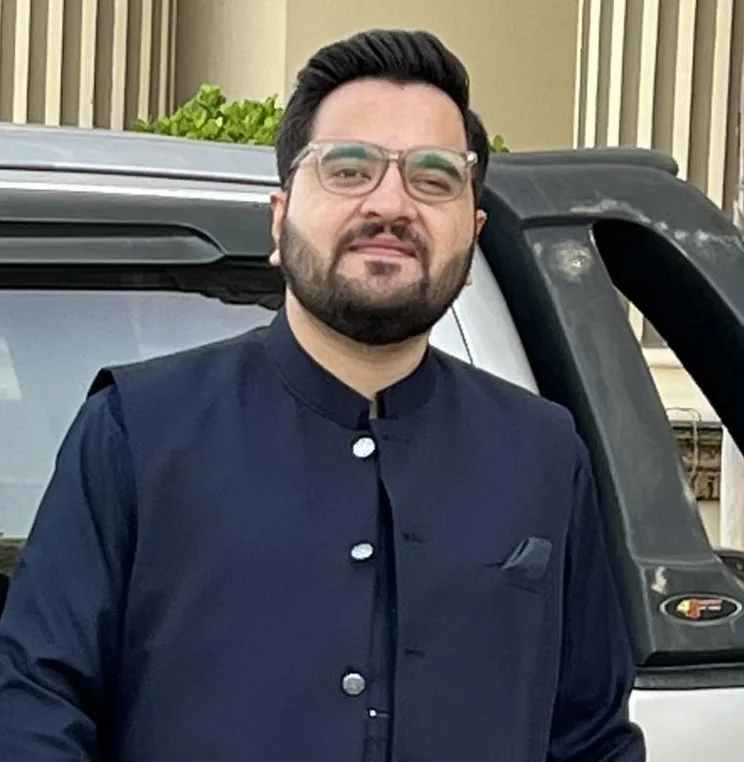
By Sharjeel Tahir
Sharjeel Tahir is a technical SEO specialist based in Lahore, Pakistan, offering on-page SEO optimization and technical SEO cleanups. This checklist mirrors his real audit process. More about Sharjeel
Published: 2026-10-09